
If you want to provide customers with prepaid return labels, follow these instructions:
Follow the steps to create return orders / RMAs
Select Label Paid by Store as the Return Label Type
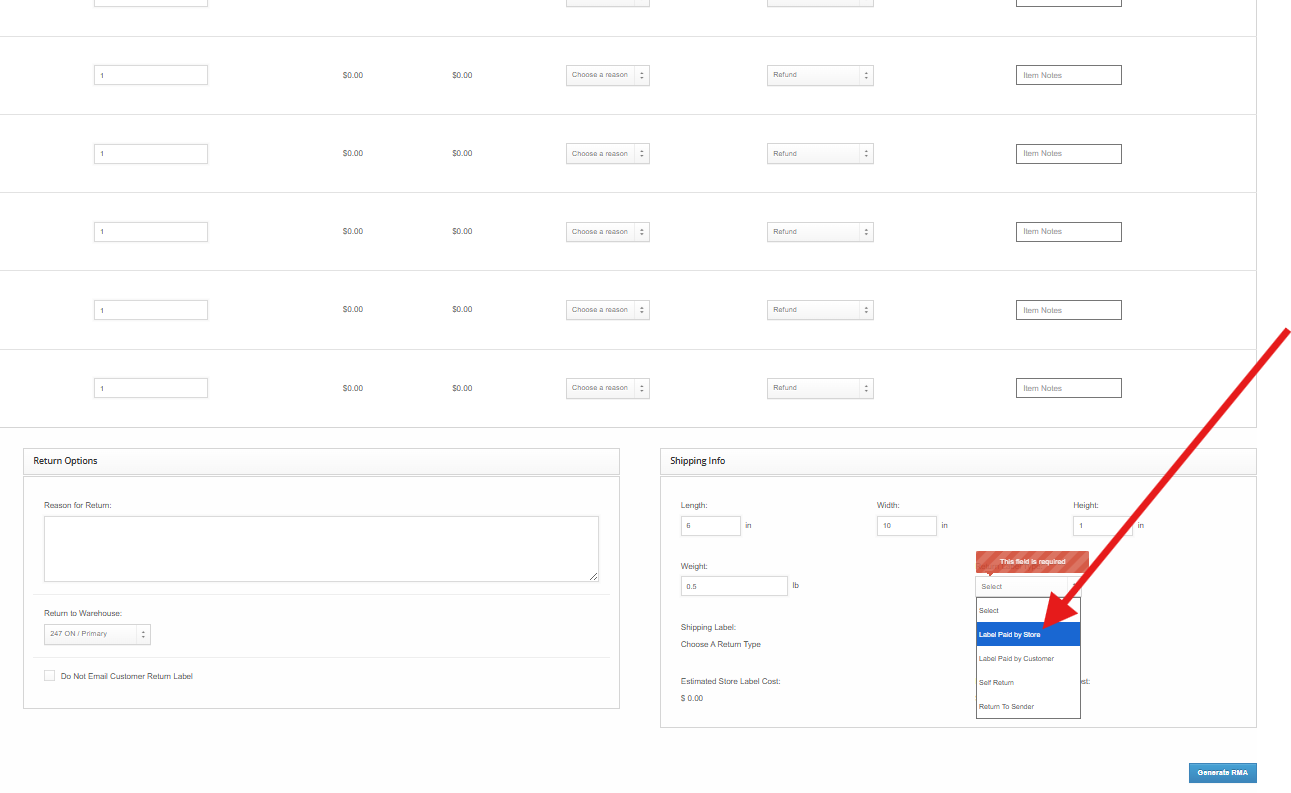
Choose the carrier based on the following criteria, and hit Generate RMA. We generally recommend Canada Post as most customers in Canada will have a post office nearby.
On the RMA page for the order, you can then download the Return Label and forward it to your customer.
Shipping Methods for Pre-paid Labels:
247 ON / BC Warehouse (Canada Domestic Orders):
Canada Post -> Regular Parcel
UPS -> UPS Standard
247 ON / BC Warehouse (US Orders):
API -> USPS Ground Advantage
please select the Returns Warehouse > API > USPS Ground advantage or Priority mail.
247 UT / FL Warehouses (USA Domestic Orders):
USPS Modern -> USPS Ground Advantage
Please note that we are unable to provide return labels for orders with a destination outside of Canada or the United States.