How to Create a Return
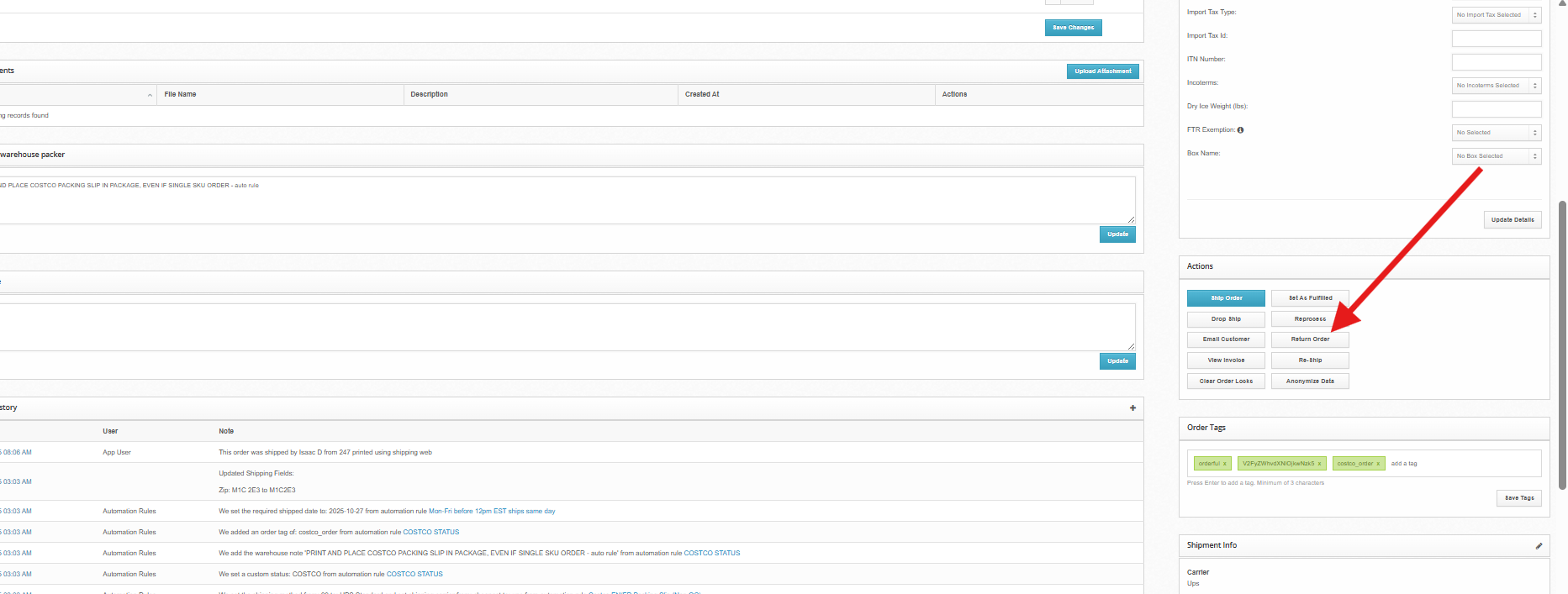
Navigate to the order page for the order you want to create an RMA for.
Click Return Order in the Actions window.
On the returns page, checkbox the items you want to return and select a Return Reason for them
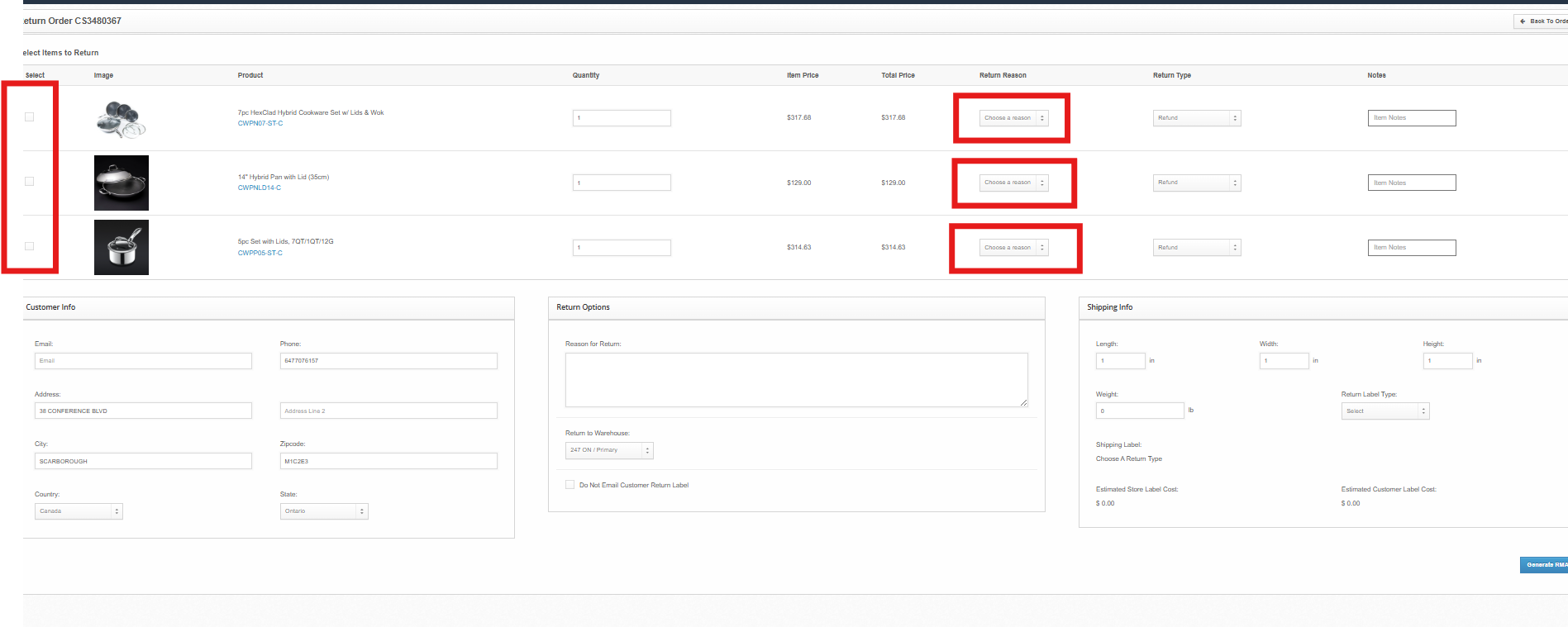
Select the warehouse the order will be going back to.
Enter the dimensions & weight of the parcel, and select the Return Label Type
Label Paid By Store - you are covering the return and providing the customer with a pre-paid return label.
Label Paid by Customer - you are providing the customer with an unpaid shipping label.
Return to Sender - you are creating a return for a parcel that is returning to sender. This is mainly used by the warehouse to process Return-To-Sender orders, however if you know in advance that an order is returning to the warehouse, you may create a return with this status for faster processing.
Click Generate RMA
You will be redirected to the RMA page for the order, where you can monitor the status of the return and download the Return Label to forward to your customer.
Monitoring Return Status
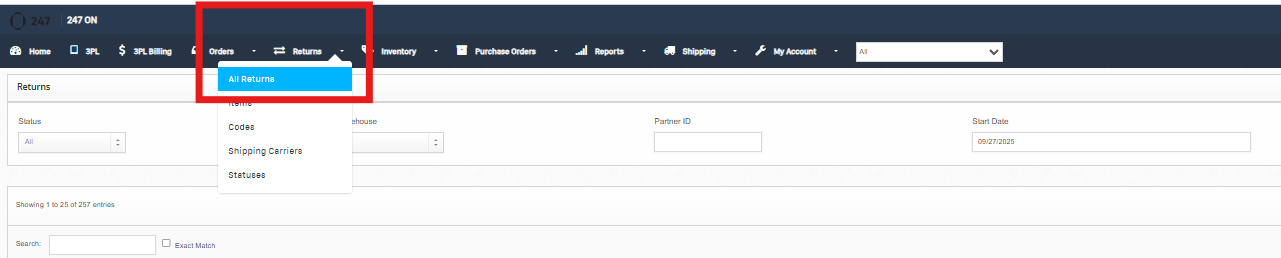
Once a return has been created, you can monitor the status of the return by navigating to Returns -> All Returns and searching for the order number.
Understanding Return Status
Once a return arrives at the warehouse, our team will process the return according to your SOP (if any).
Any restockable units will be restocked. Any damaged / poor condition items will be put aside in unsellable inventory and noted in the Internal Return Note. Some clients opt to collect and pick-up unsellable returns after some time, or direct us to dispose of them.

Return Statuses:
Pending - the return has not been processed
Complete - the return has been processed and closed