
The Serial Number Report tracks outbound products, the orders they shipped in, and the date shipped. Tracking serial numbers is important because it allows you to trace exactly which customer received which specific product, making it easier to manage warranties, handle recalls, investigate defects, and provide better customer support.
Accessing the Serial Number Report
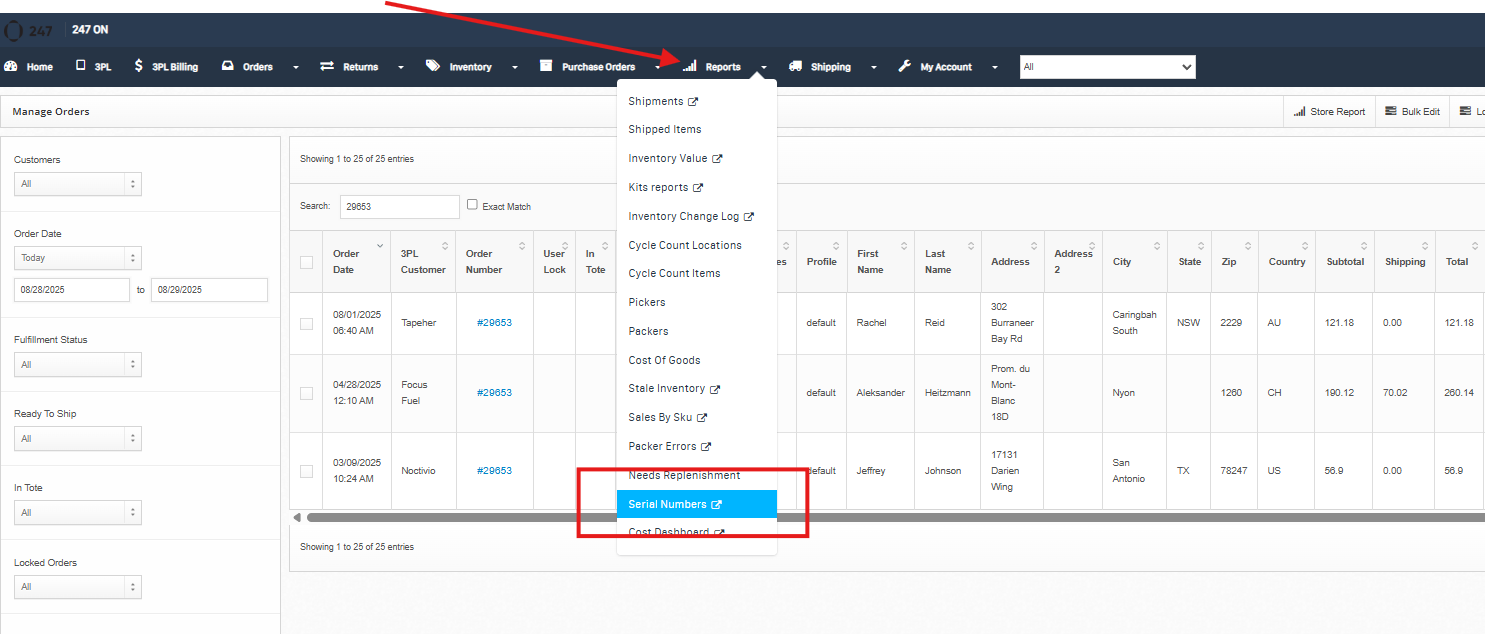
Login to your dashboard and navigate to Reports > Serial Numbers
Serial Number Report
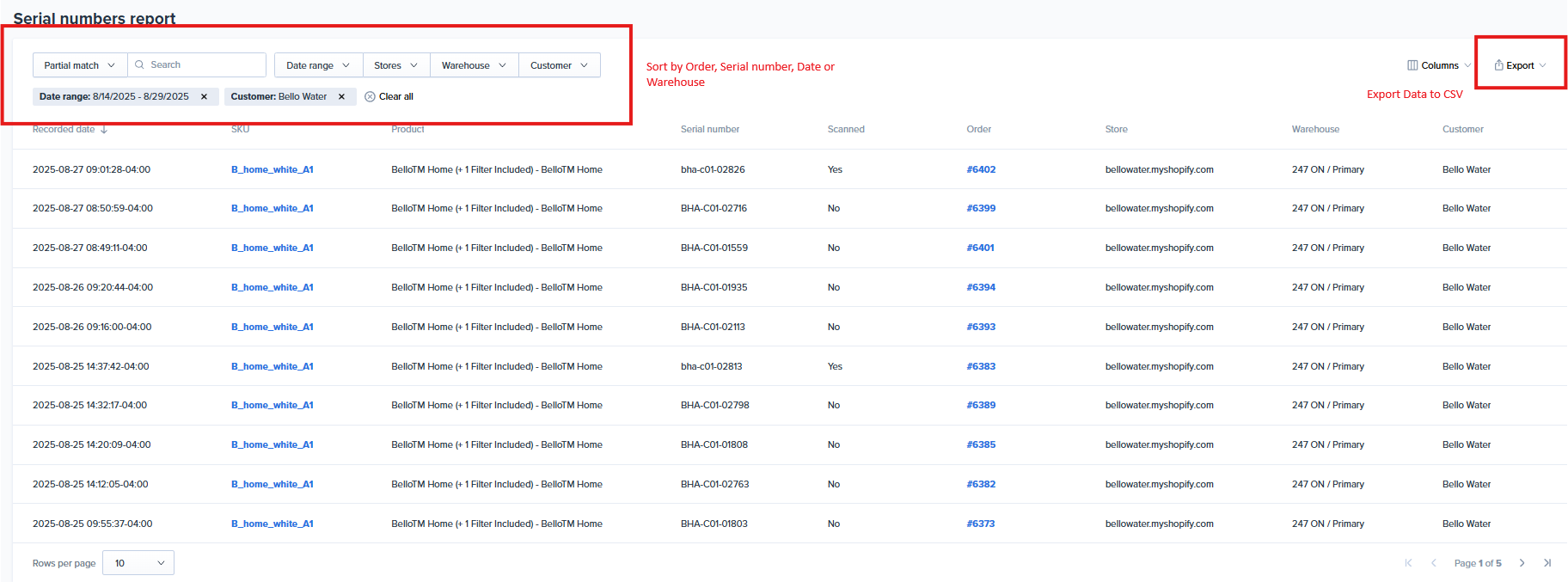
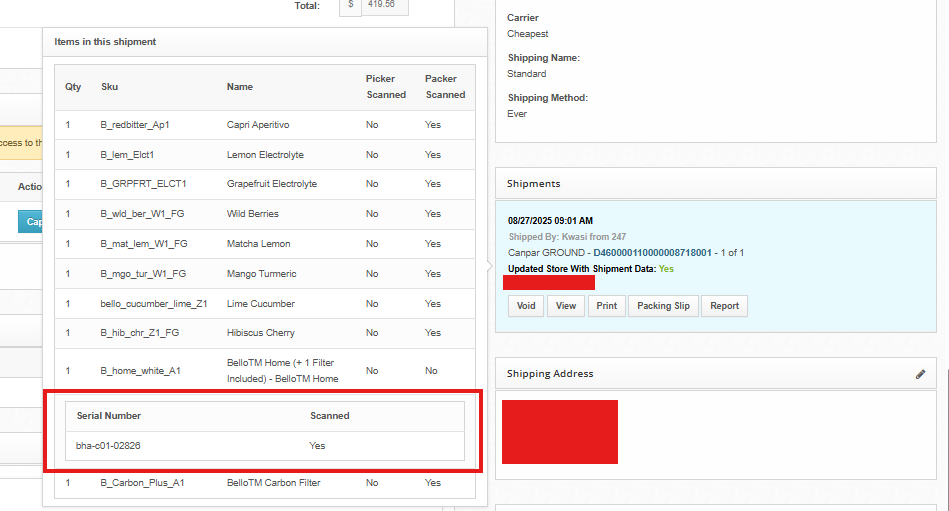
After the item ships and a serial number is scanned or entered, it's available in the serial number report. The report records all the scanned serial numbers but not when the feature was enabled. To download the serial number track, go to the report's tab, select serial numbers, and store the date range.
Notes
Turning off serial numbers is not possible if It's already been setup.
Serial numbers do not work on Kits or Build Kits.
Serial numbers are not on supported on Bulk Ship.