
To change an address after an order has been imported into our WMS, you can update it in either of the following places.
Directly in our WMS
In Shopify
Note: if you accept orders in a platform other than Shopify (Amazon FBM, ERP etc.), please ensure to make changes in our WMS.
Please note that address changes must be made before an order is fulfilled. If an order is already fulfilled, no changes can be made and we cannot pull the order from the sort.
Updating Addresses in our WMS
To update an address in our WMS follow the steps below:
Navigate to the Orders Page
Search for the order
Click into the order
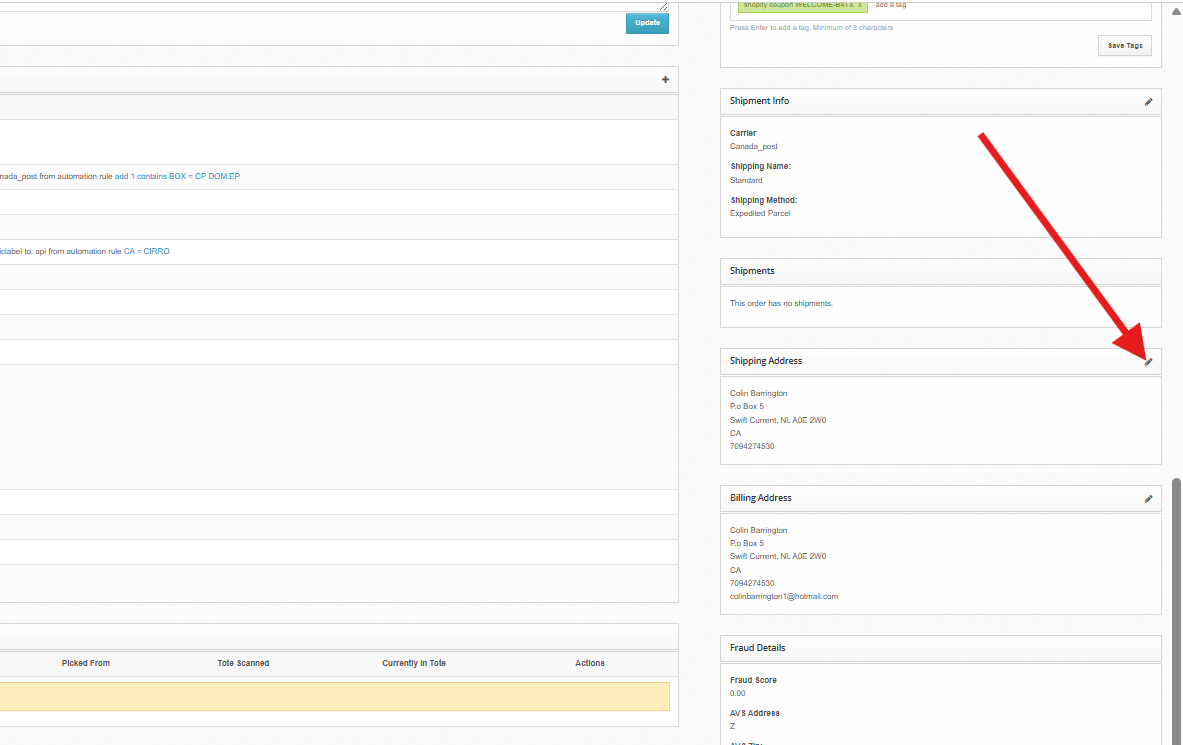
Click the Edit icon in the Shipping Address panel
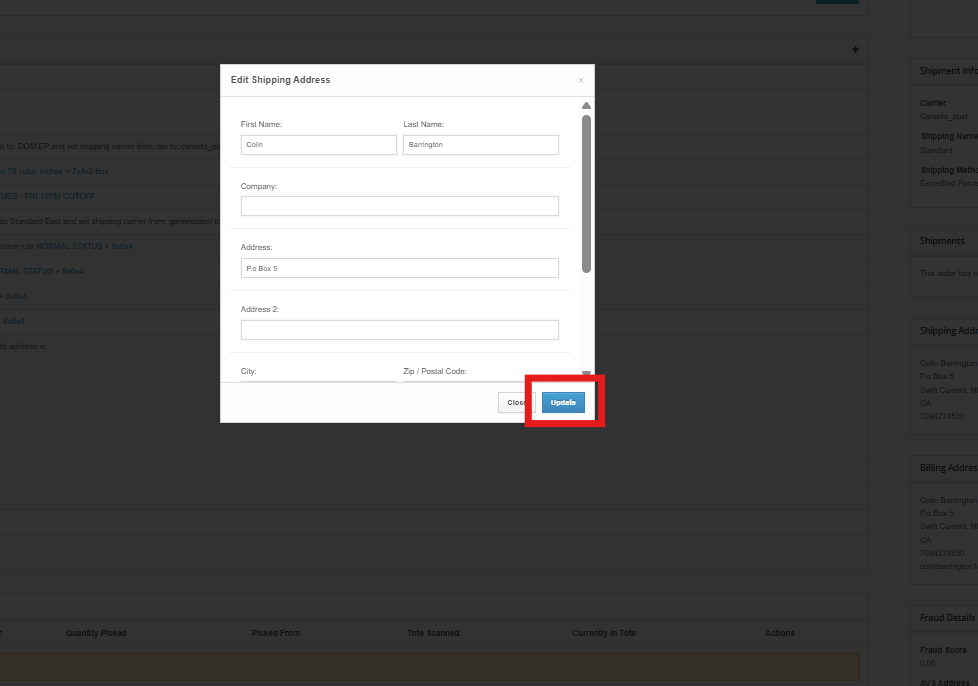
Edit the address and click Update
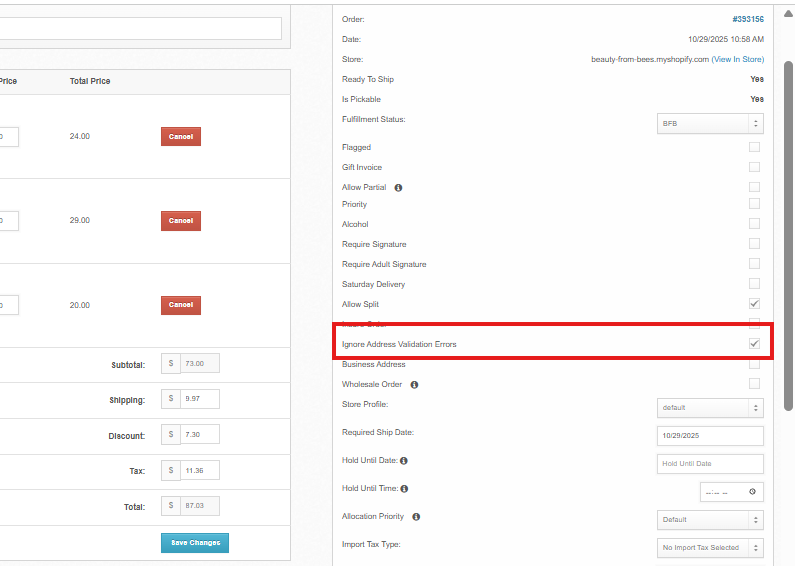
The address on the order should now be updated. Please note that address changes must be made before an order is fulfilled.
Updating Addresses in Shopify
To ensure that address changes made in Shopify reflect in our WMS, follow the steps below:
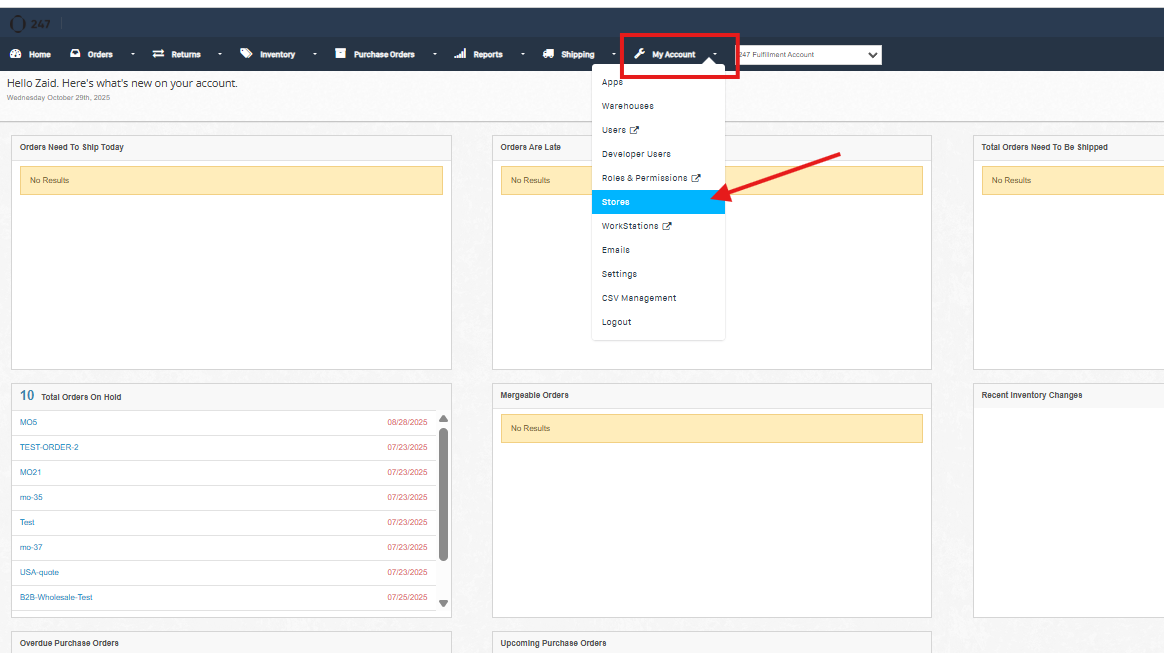
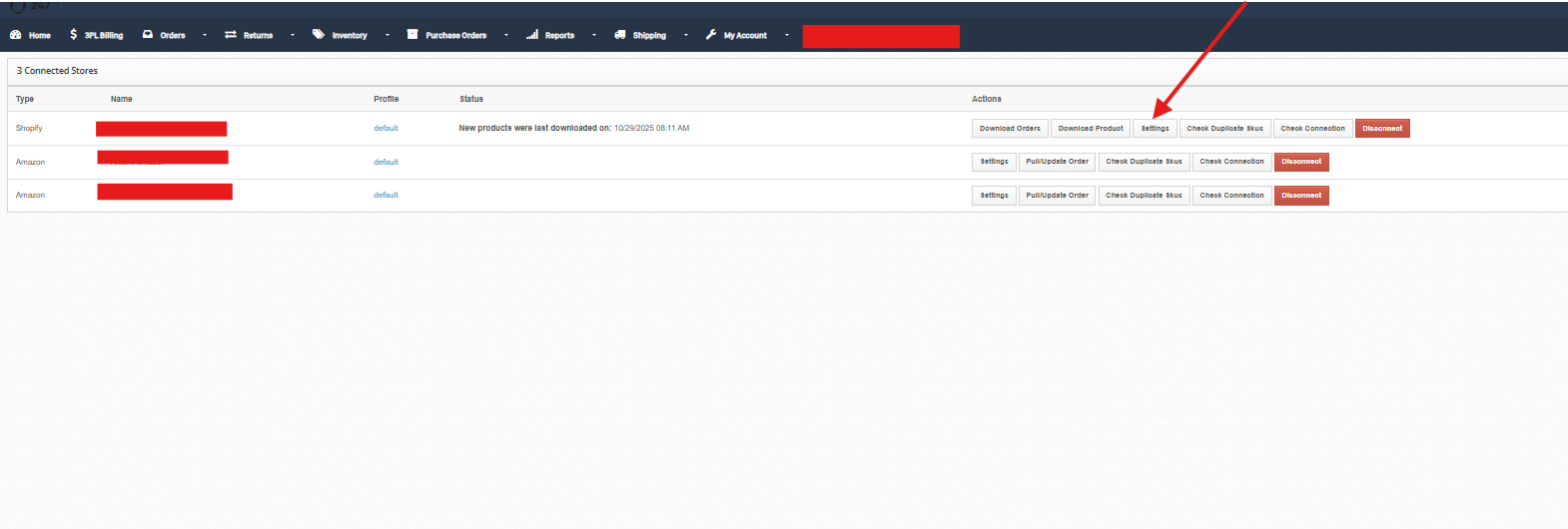
Navigate to My Account -> Stores
Click Settings under your Shopify Store
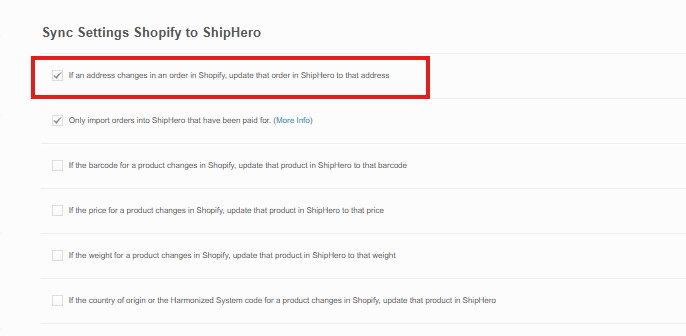
Make sure the If an address changes in an order in Shopify, update that order in ShipHero to that address is checked ON
Make address changes in Shopify and cross-reference them with ShipHero to ensure address changes are syncing.