
A serial number is a unique identifier assigned to an item, usually in sequential or incremental order. It doesn’t have to be purely numeric—it can include letters, symbols, or even be entirely alphanumeric.
Serial numbers help identify when and where an item was manufactured, verify its authenticity, and highlight product features such as color or storage capacity. They are also essential for warranty validation, version control, and traceability.
In our system, enabling the Serial Number product setting lets you track exactly which unit was shipped to a customer and tie it back to its corresponding order details.
How to Enable Serial Number Tracking on a Product
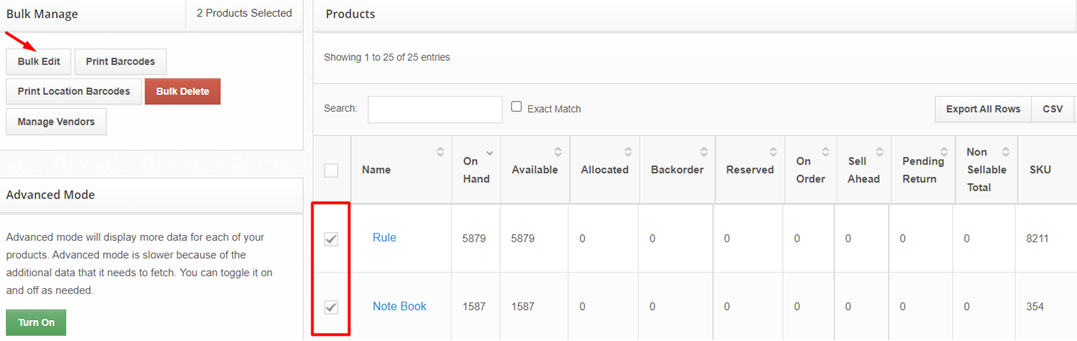
Go to the Inventory > Products page.
Select one or multiple products using the checkbox next to each product name.
Click Bulk Edit.
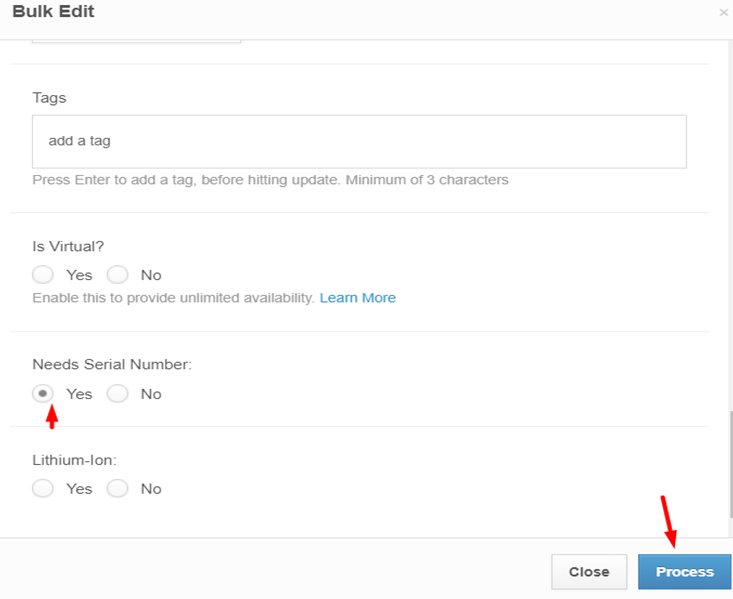
Select Yes under Needs Serial Number.
Click Process.
Allowing Multiple Products to Have the Same Serial Number
If the quantity of the product is more than one, you will be prompted to enter a different serial number for each unit.
By default, the same serial number cannot be used more than once on the same order.
1. To enable this setting, log into your ShipHero account and navigate to Settings
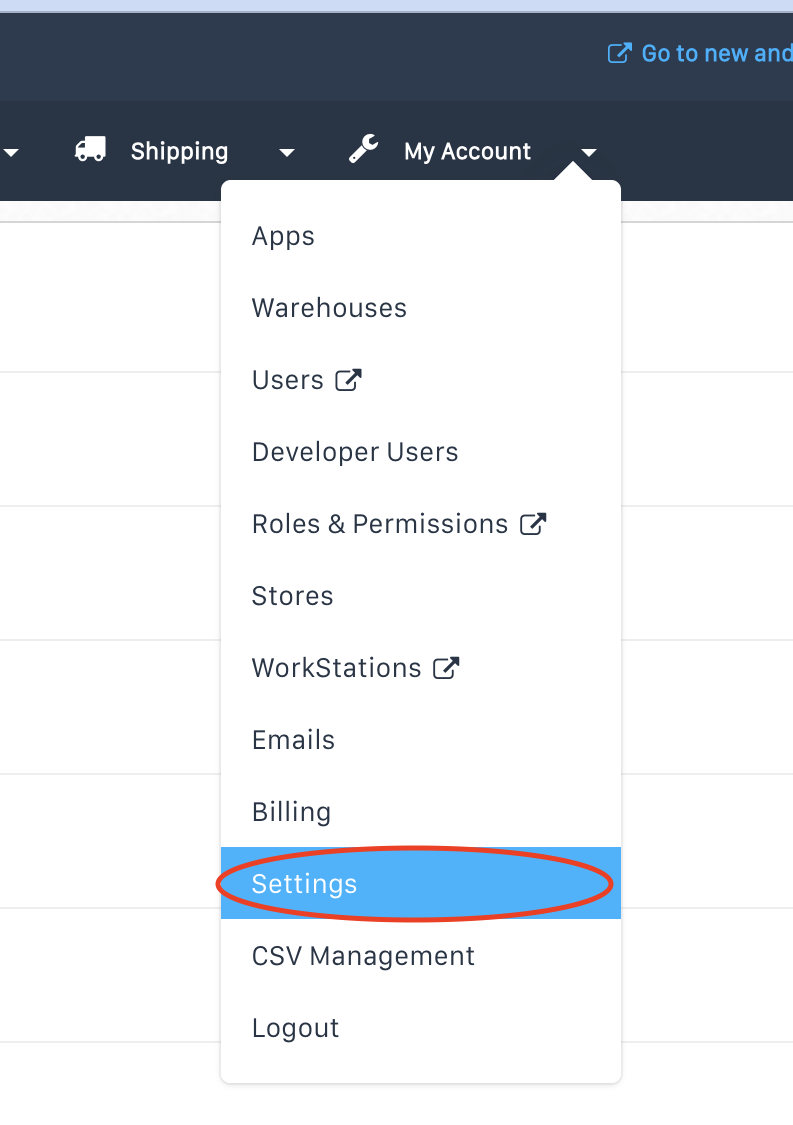
Settings.
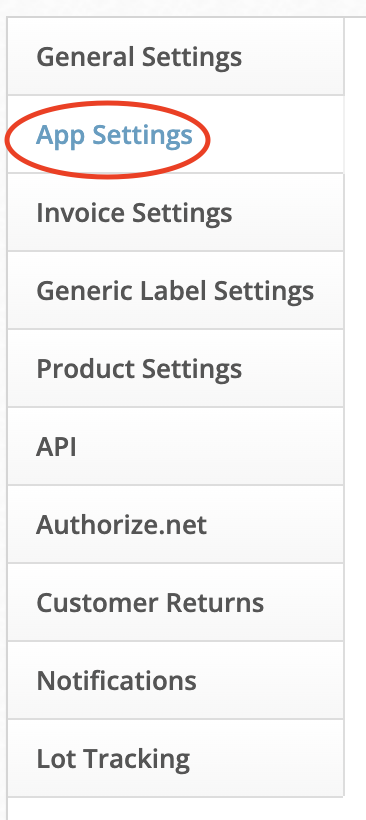
2. Click on App Settings in the lefthand menu.
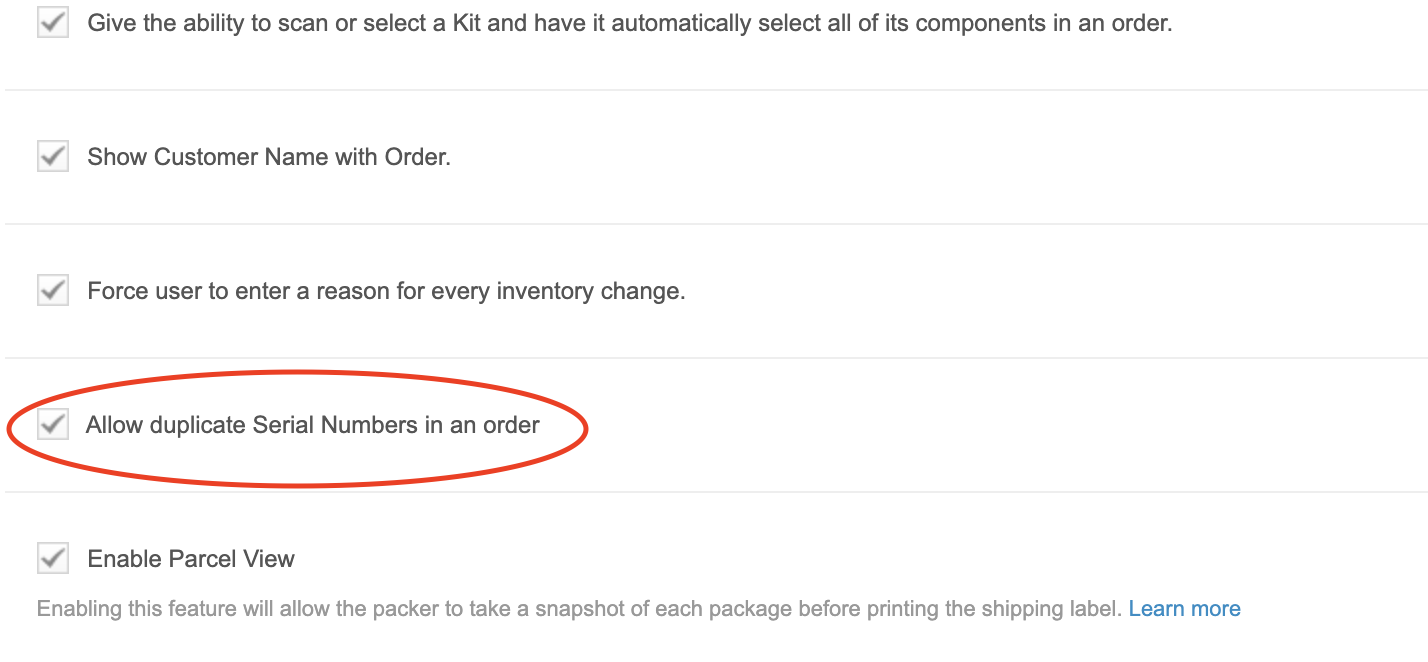
3. Scroll down the page until you see the line item "Allow duplicate Serial Numbers in an order."
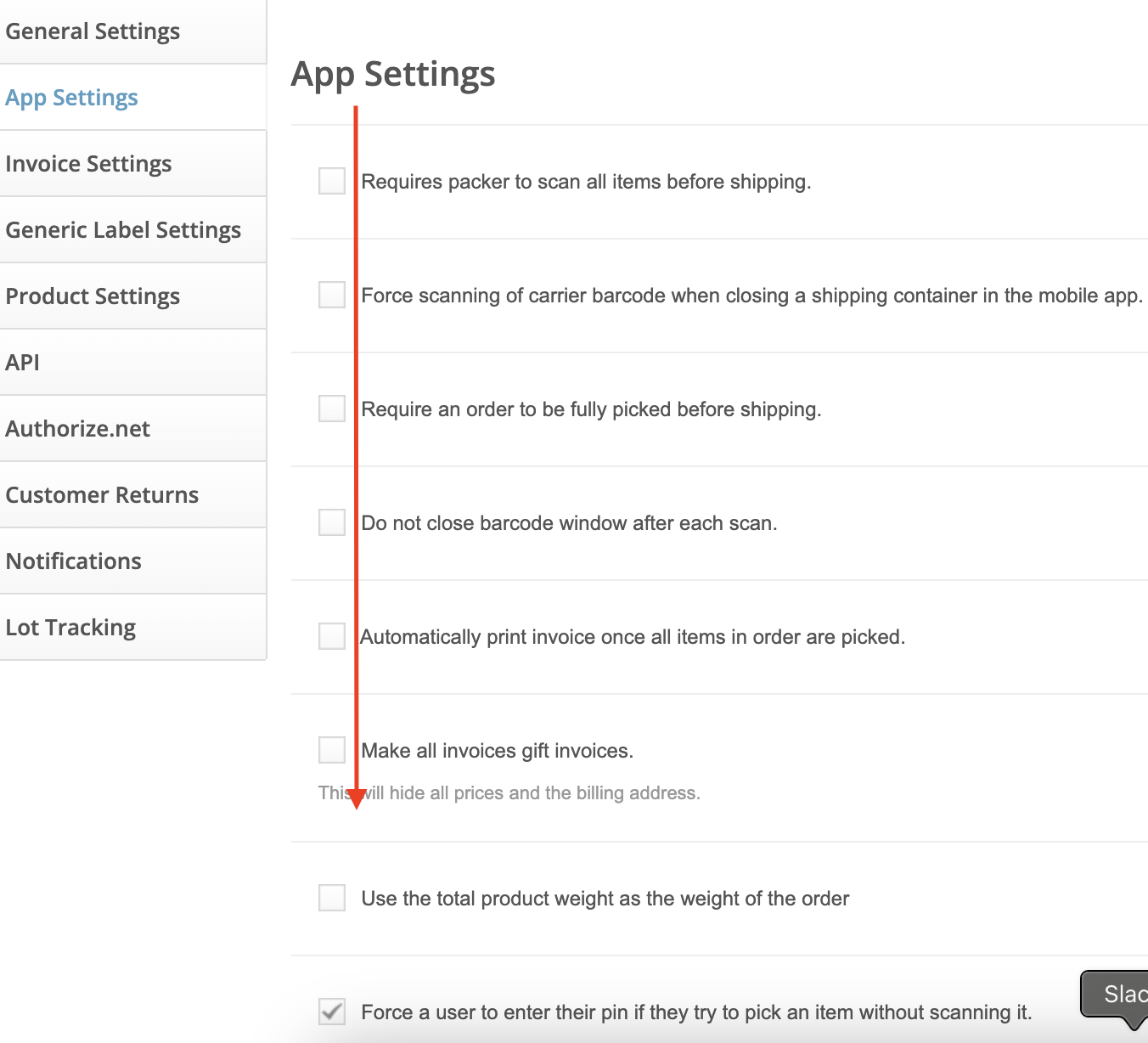
4. Click on the checkbox and then scroll all the way to bottom of the page and click Save Changes button in the lower righthand corner.
To view serial numbers recorded in dispatched orders, you can check the individual order or the Serial Number Report. For more information, see our article on the Serial Number Report.