
Purchase Orders (POs) move through several stages as they progress through the receiving process.
You can view and track your POs here.
To see all POs, set the Status filter to All.
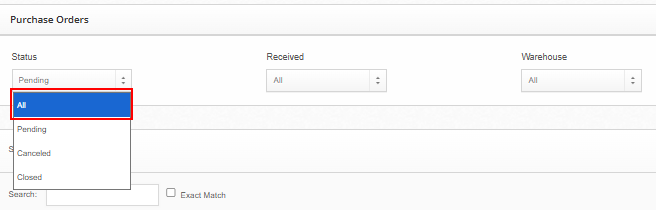
Status Definitions:
Pending: The PO has not yet been received. If it was delivered today, please allow a few hours for our Inbound Team to update the system.
Arrived: The shipment has been delivered to the warehouse but has not yet been fully processed in our system. Processing can take up to 3 business days, depending on PO size and inbound queue volume.
Closed: The PO has been received into the system, though items may still be in staging before being placed into active pickable locations.
Cancelled: The PO has been cancelled and will not be received.
Processing Timelines:
Inbound receiving is completed on a first-come, first-served basis to ensure fairness across all clients. Processing time varies depending on shipment size and inbound volume but typically takes:
Up to 3 business days for regular shipments
Up to 5 business days for first-time onboarding shipments
For detailed SLA timelines, please refer to our Inbound Receiving SLA.