Video walkthroughOpen video
Setting a high order priority ensures that the order is fast-tracked on the warehouse floor—picked, packed, and shipped ahead of others. This is particularly important in the case of express orders and/or important orders that need to move ahead in the shipping queue.
How to Set Order Priority
Go to the Orders tab and click Manage Order.
Select the order you want to mark as Priority.
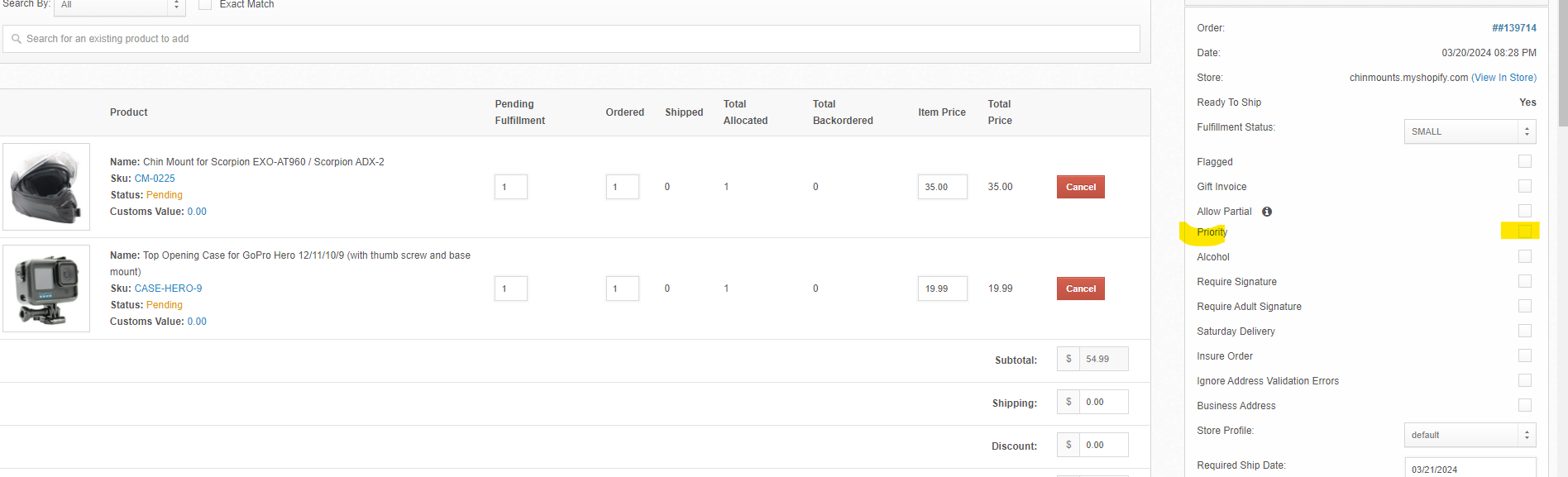
On the order page, find the Priority section on the right-hand side.
Check the box next to Priority to mark the order for expedited processing.
Click Save to confirm your changes.